

Organic Search tab
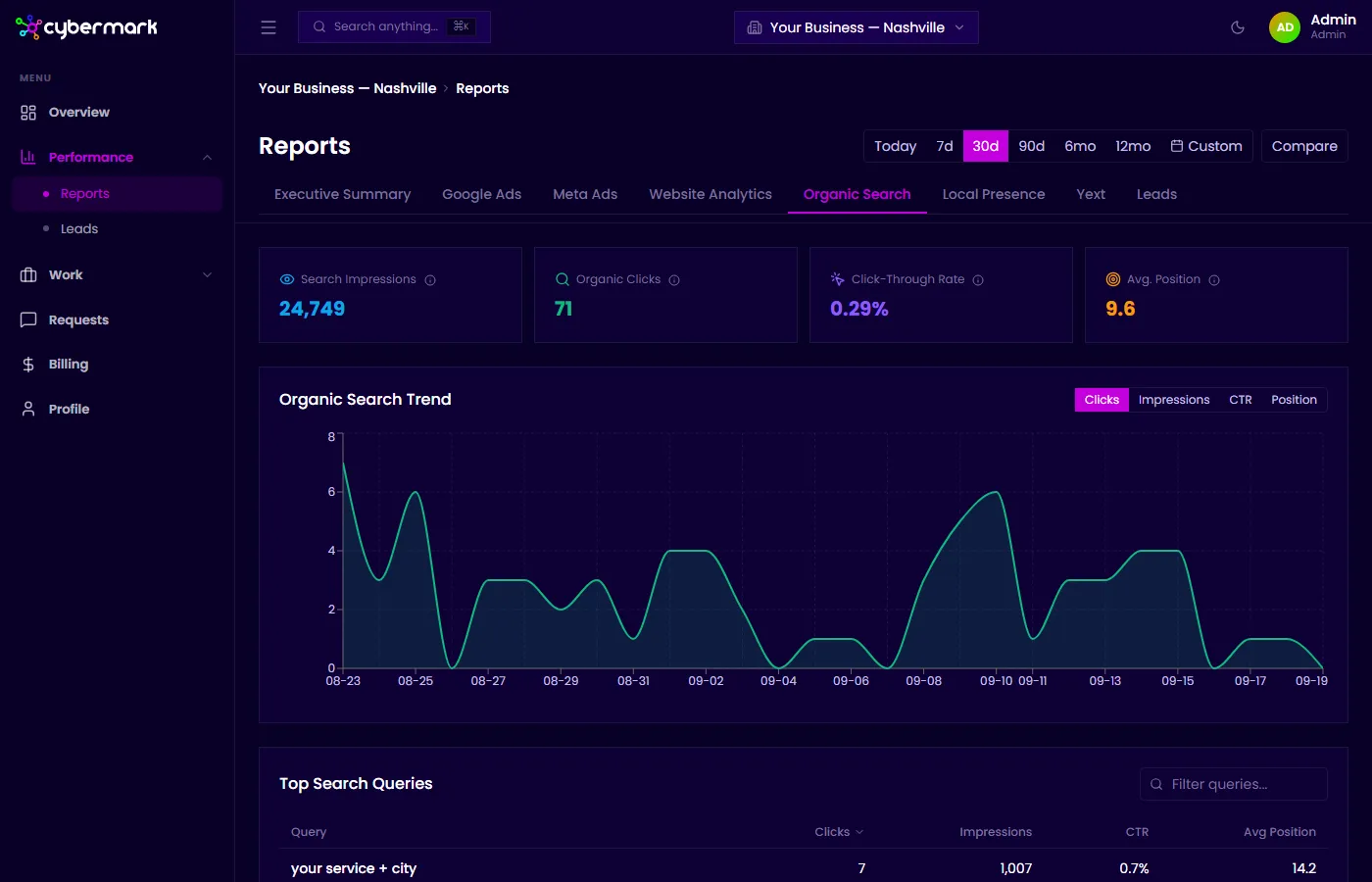
The Organic Search tab shows data from Google Search Console, giving you visibility into how your site performs in unpaid Google search results.
When you’d use this
Section titled “When you’d use this”Open this tab when you want to see which search queries bring visitors to your site, how often your pages appear in results, or whether your organic search visibility is improving over time.
Getting there
Section titled “Getting there”Go to Reports in the sidebar and select the Organic Search tab.
Key metrics
Section titled “Key metrics”| Metric | What it means |
|---|---|
| Search Impressions | How many times a page from your site appeared in Google search results. |
| Organic Clicks | How many times someone clicked through to your site from Google search (not ads). |
| Click-Through Rate | Percentage of search impressions that resulted in a click. Most sites average 2–5%. |
| Avg. Position | Your average ranking in Google search results. Position 1 is the top result — lower numbers are better. |
Organic Search Trend chart
Section titled “Organic Search Trend chart”A line chart shows how clicks, impressions, CTR, and position change over the selected period. Use the toggle to switch between metrics.
Top Search Queries table
Section titled “Top Search Queries table”A paginated table listing the search terms that brought visitors to your site, with columns for clicks, impressions, CTR, and average position. The default view shows up to 25 queries at a time.
Top Pages table
Section titled “Top Pages table”Below the queries table, a breakdown of which pages on your site receive the most organic search traffic, including clicks, impressions, CTR, and average position per page.