

Leads tab
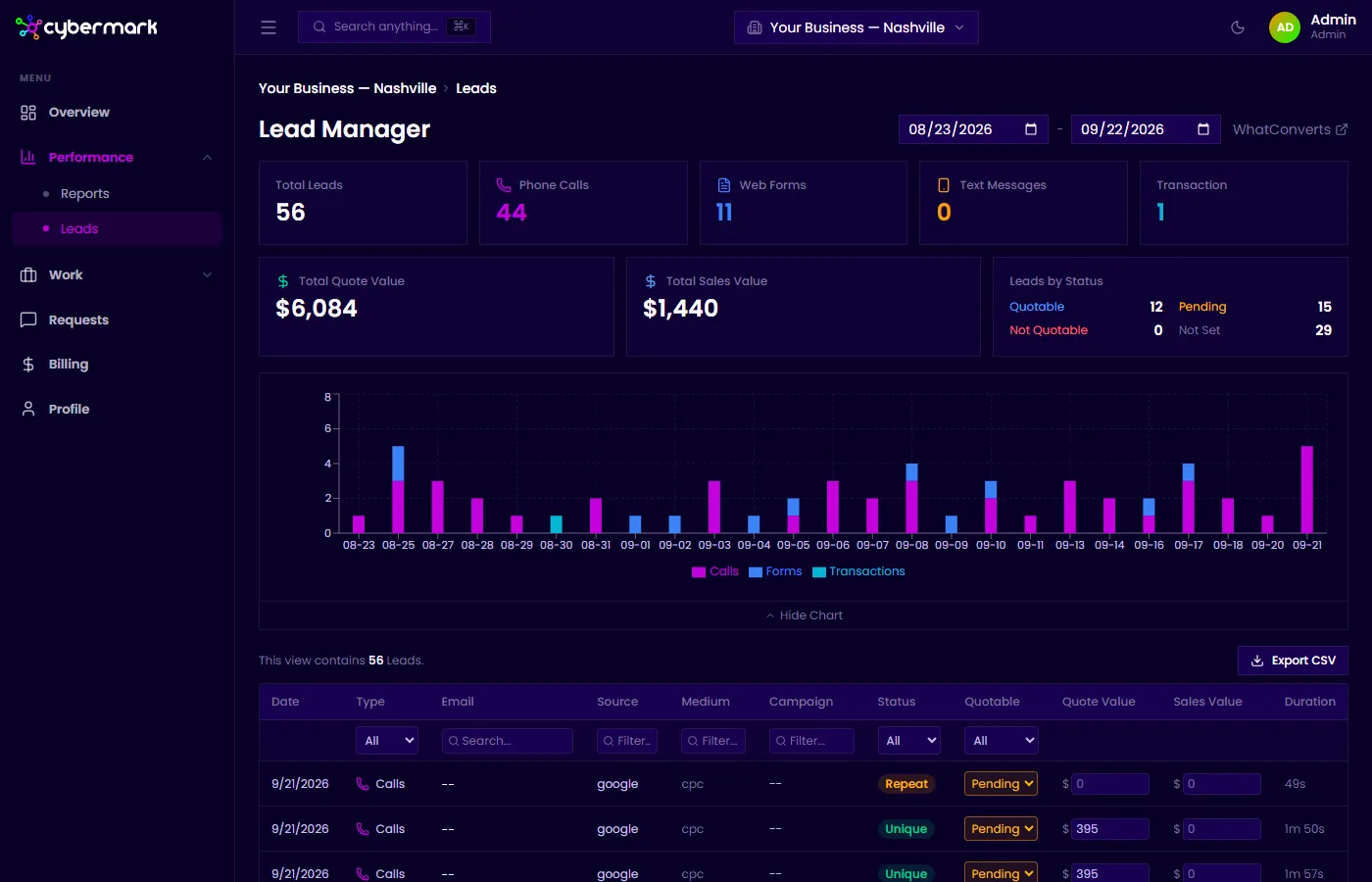
The Leads tab in Reports gives you a summary view of all leads tracked through WhatConverts for the selected date range. It’s focused on analytics and attribution — for the full lead list and individual lead details, use the Lead Manager.
When you’d use this
Section titled “When you’d use this”Open this tab when you want to see lead totals, review which channels are driving the most (and best) leads, or understand how your leads are converting to revenue.
Getting there
Section titled “Getting there”Go to Reports in the sidebar and select the Leads tab.
Key metrics
Section titled “Key metrics”| Metric | What it means |
|---|---|
| Total Leads | All inbound inquiries for the period. |
| Quotable Leads | Leads marked as quotable in WhatConverts. |
| % Quotable | Quotable leads as a percentage of total leads. |
| Est. Revenue | Total sales value from leads that have been converted. |
| Est. ROAS | Estimated return on ad spend: Sales Value ÷ Ad Spend. |
| ROAS Potential | Potential ROAS if all pending quotes convert: (Sales + Quotes) ÷ Ad Spend. |
| Pending Quotes | Total quote value for leads still awaiting a decision. |
Lead type breakdown
Section titled “Lead type breakdown”Leads are categorized by how they came in:
| Type | Description |
|---|---|
| Phone Call | Calls to your tracked numbers. |
| Web Form | Form submissions on your website. |
| Transaction | Online purchases or transactions. |
Each type shows its count, percentage of total leads, and revenue contribution.
Charts and breakdowns
Section titled “Charts and breakdowns”- What Types of Leads — A pie chart showing the split between calls, forms, and transactions.
- How Leads Are Finding You — Toggle between Leads, Revenue, and Quotes views to compare channel performance.
- Which Channels Perform Best — A bar chart comparing lead volume by source (Google, Direct, etc.).
- Which Landing Pages Perform Best — Landing pages that generated the most leads.
- Leads Generated Over Time — A daily chart showing call, form, and transaction volume.