

Executive Summary tab
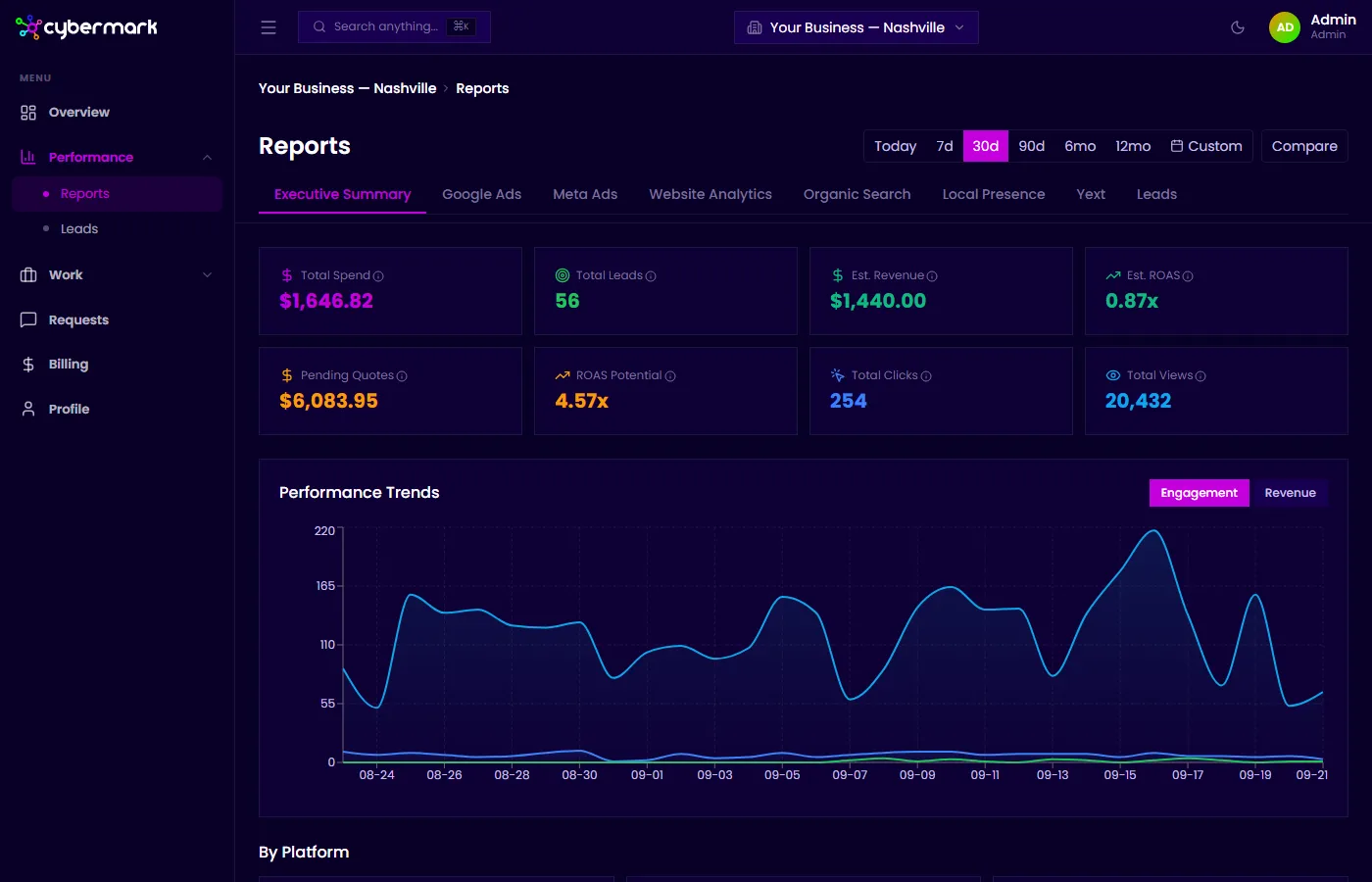
The Executive Summary tab is the default view when you open Reports. It combines the most important metrics from every connected platform into one page so you can assess overall performance at a glance.
When you’d use this
Section titled “When you’d use this”Open the Executive Summary when you want a top-level view of how your marketing is performing across all channels — without drilling into a specific platform.
Getting there
Section titled “Getting there”Go to Reports in the sidebar. The Executive Summary tab is selected by default.
KPI cards
Section titled “KPI cards”The top row shows eight key metrics for the selected date range:
| Metric | What it means |
|---|---|
| Total Spend | Combined ad spend from Google Ads and Meta Ads. |
| Total Leads | All inbound inquiries — calls, forms, texts, and chats tracked by WhatConverts. |
| Est. Revenue | Total sales value from leads marked as converted. |
| Est. ROAS | Estimated return on ad spend: Sales Value ÷ Ad Spend. |
| Pending Quotes | Total quote value from leads still awaiting conversion. |
| ROAS Potential | Potential ROAS if all pending quotes convert: (Sales + Quotes) ÷ Spend. |
| Total Clicks | Combined clicks from paid ads (Google + Meta), organic search (GSC), and local listings (GBP). |
| Total Views | Combined impressions from paid ads, organic search results, and GBP profile views. |
Performance Trends chart
Section titled “Performance Trends chart”The chart below the KPI cards shows how engagement and revenue metrics have changed day by day over your selected date range. Toggle between Engagement and Revenue views.
By Platform breakdown
Section titled “By Platform breakdown”Below the chart, each connected platform shows its headline metrics:
- GA4 Web Analytics — Sessions and New Users
- Lead Tracking — Total Leads and Sales Value
- Google Ads — Spend and Conversions
- Google Search Console — Impressions and Clicks
- Local Listings (Yext) — Impressions and Clicks (shows “Coming Soon” when Yext is not yet connected)
Channel Performance table
Section titled “Channel Performance table”The bottom section shows how leads, revenue, and ROAS break down by traffic source and medium (for example, Google / Paid, Direct). This helps identify which channels are generating the most valuable leads.