

Viewing leads
The Lead Manager shows every inbound lead tracked through WhatConverts for your account — phone calls, form submissions, and transactions — in a filterable, sortable table.
When you’d use this
Section titled “When you’d use this”Visit the Lead Manager when you want to review individual leads, listen to a call recording, check a lead’s source and attribution, or see how many leads came in over a period.
Getting there
Section titled “Getting there”Click Leads under Performance in the sidebar, or go to app.cybermark.com/client/leads.
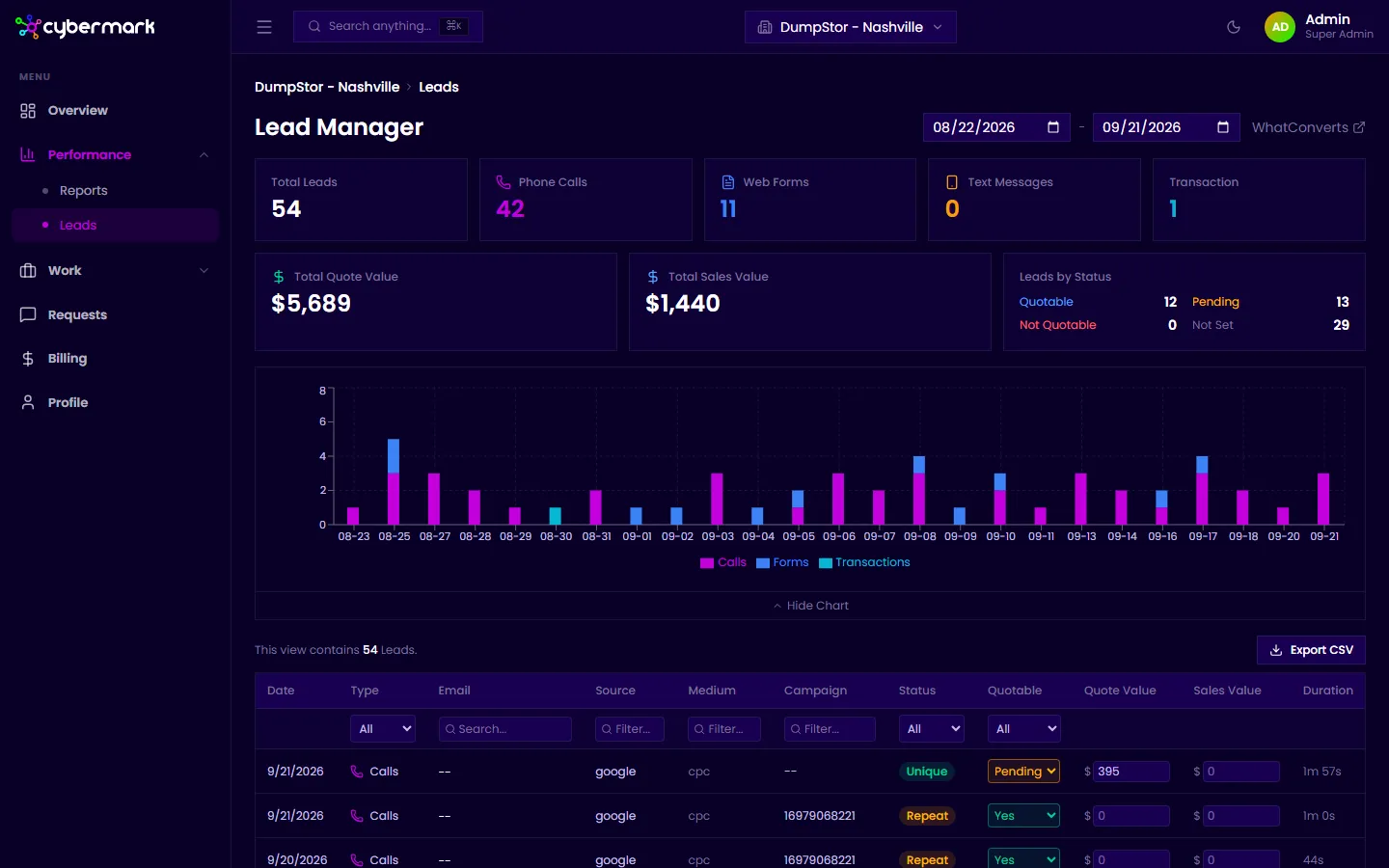
Summary cards
Section titled “Summary cards”At the top of the page, summary cards show totals for the current sync:
- Total Leads — All tracked leads.
- Phone Calls — Leads that came in as phone calls.
- Web Forms — Form submissions.
- Text Messages — Texts to tracked numbers (if applicable).
- Transactions — Online transactions.
- Total Quote Value — Combined quote value from all leads.
- Total Sales Value — Revenue from converted leads.
A bar chart below the cards shows lead volume by day, broken out by type (calls, forms, transactions).
The lead table
Section titled “The lead table”Each row in the lead table shows:
- Date — When the lead came in.
- Type — Phone call, form, or transaction.
- Email — Contact email if captured.
- Source, Medium, Campaign — UTM attribution for the lead.
- Status — Unique Lead or Repeat Lead.
- Quotable — Whether the lead has been marked as quotable, not quotable, or is pending.
- Quote Value / Sales Value — Assigned values if set.
- Duration — Call length (for phone leads).
The table paginates by 10, 25, 50, or 100 rows. Navigate with the Previous/Next buttons at the bottom.
Viewing a lead’s details
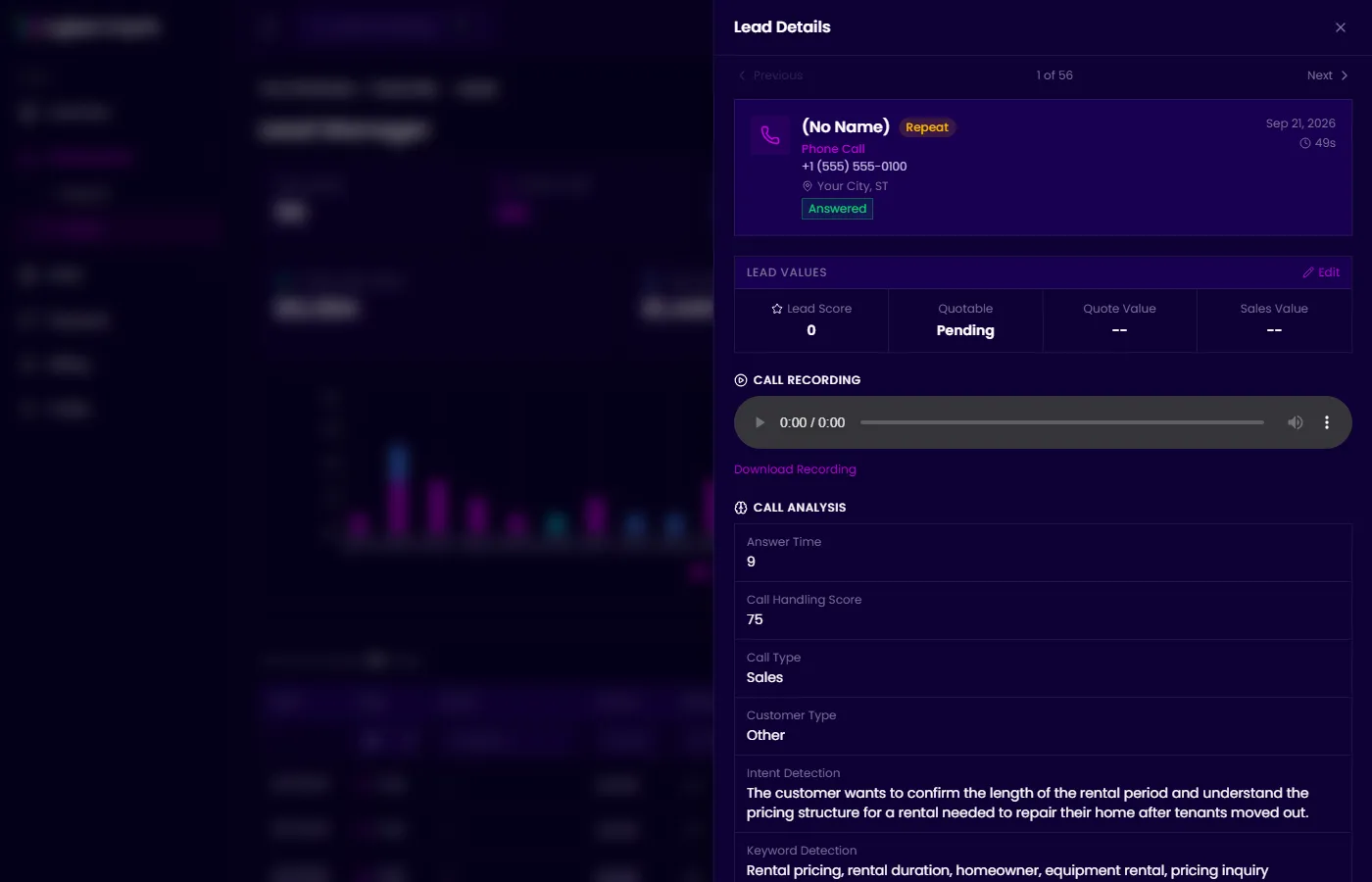
Section titled “Viewing a lead’s details”Click any row to open the detail panel on the right. The detail view shows the full lead record, including all attribution data, caller location, call disposition, and a recording player for phone leads.
Call recordings
Section titled “Call recordings”For phone call leads, an audio player appears in the detail panel. Click play to listen to the recorded call. Recordings are available only when call recording is enabled for that tracking number.
Tracking numbers
Section titled “Tracking numbers”At the bottom of the Lead Manager, the Tracking Numbers section lists all active WhatConverts tracking numbers for your account, including the forwarding destination and the source they’re assigned to. Click Refresh to update the list.