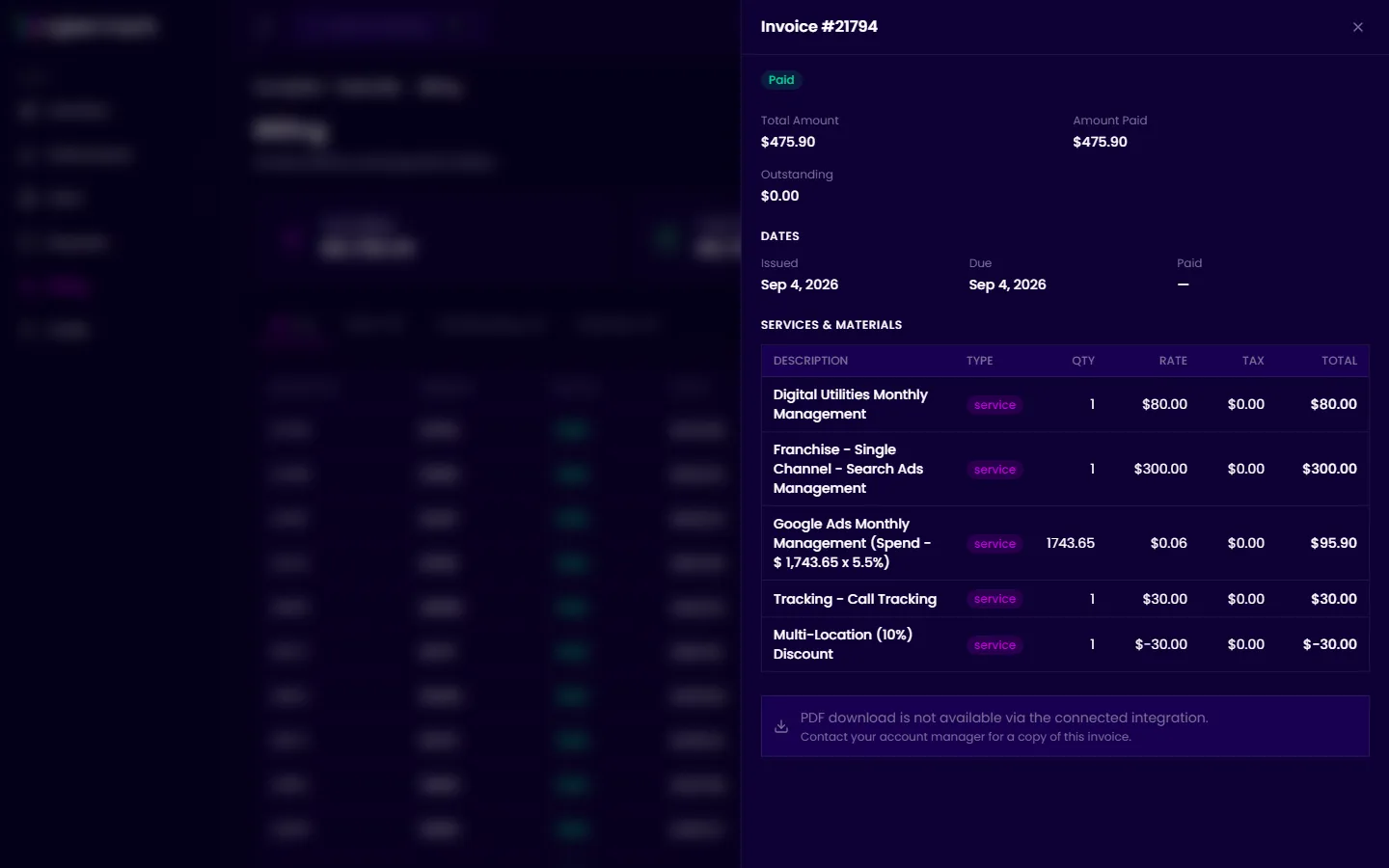
Invoice details
The invoice detail panel breaks down a single invoice into its line items so you can see exactly what each charge covers.
When you’d use this
Section titled “When you’d use this”Open an invoice’s detail view when you want to understand what services are included in a specific bill or verify that charges match your expectations.
What you’ll see
Section titled “What you’ll see”Click any invoice row on the Billing page to open the detail panel. It shows:
- Invoice number and status — The invoice ID and whether it’s Paid, Outstanding, or Overdue.
- Summary amounts — Total Amount, Amount Paid, and Outstanding balance.
- Dates — Issued date, due date, and paid date (if applicable).
- Services & Materials table — A line-by-line breakdown with:
- Description — The service or item.
- Type — Service or material.
- Qty — Quantity.
- Rate — Unit price.
- Tax — Tax applied (if any).
- Total — Line item total.