

Filtering and sorting leads
Use the filter controls in the Lead Manager to focus on specific lead types or statuses instead of paging through the full list.
When you’d use this
Section titled “When you’d use this”Use filters when you want to find leads of a specific type, review only quotable leads, or separate unique prospects from repeat callers.
Filtering leads
Section titled “Filtering leads”The filter row appears directly above the leads table. You can filter by:
- Type — Show only Calls, Forms, or Transactions (default: All)
- Unique/Repeat — Show only Unique Leads or Repeat Leads (default: All)
- Quotable — Show leads marked Yes, No, or Pending (default: All)
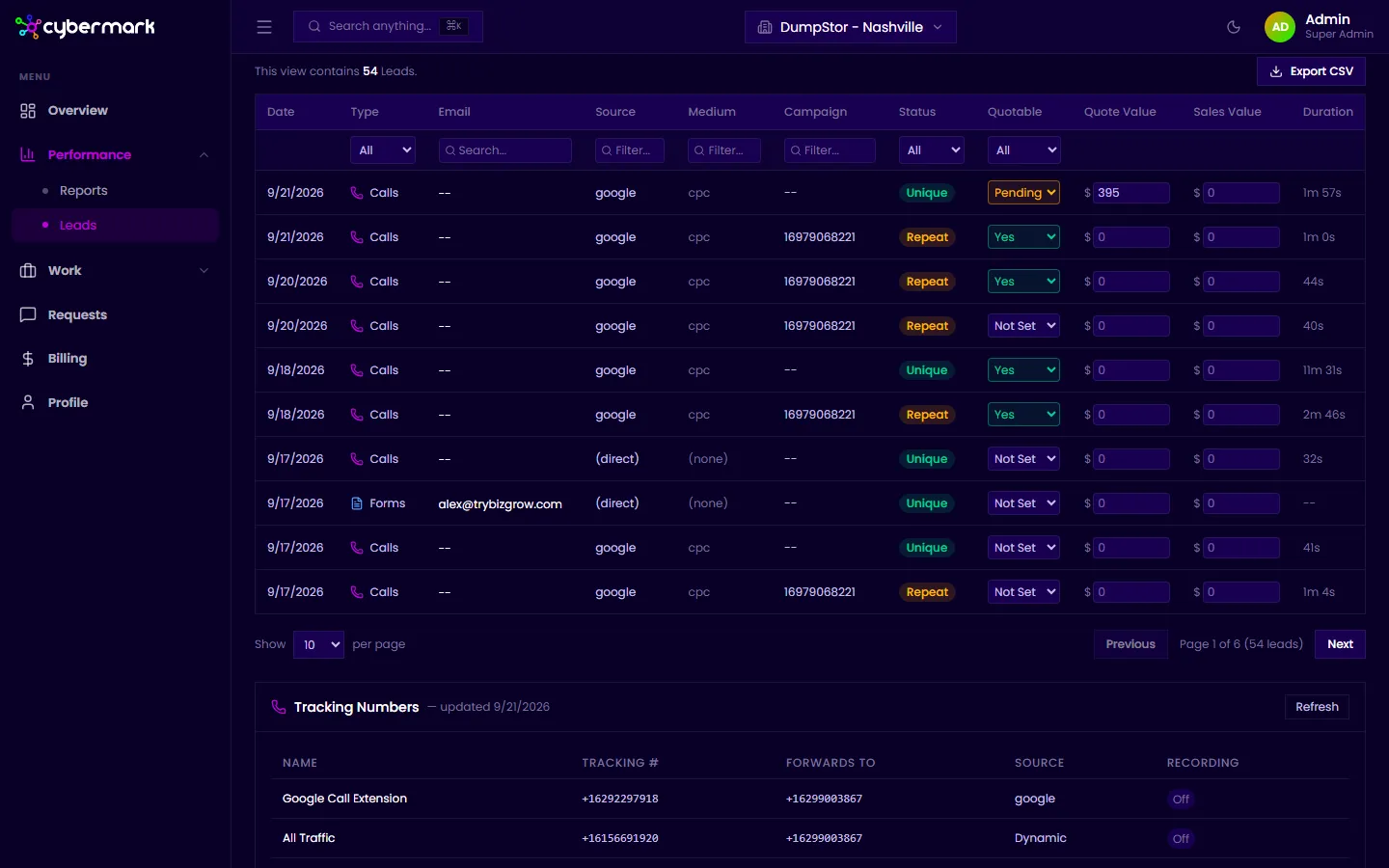
You can combine filters. For example, view only phone calls from unique leads that are marked quotable.
Rows per page
Section titled “Rows per page”Use the Show dropdown at the bottom of the table to display 10, 25, 50, or 100 leads per page.
Sorting
Section titled “Sorting”Leads are listed in reverse chronological order (newest first) by default. Click any column header to sort by that column.