

Viewing invoices
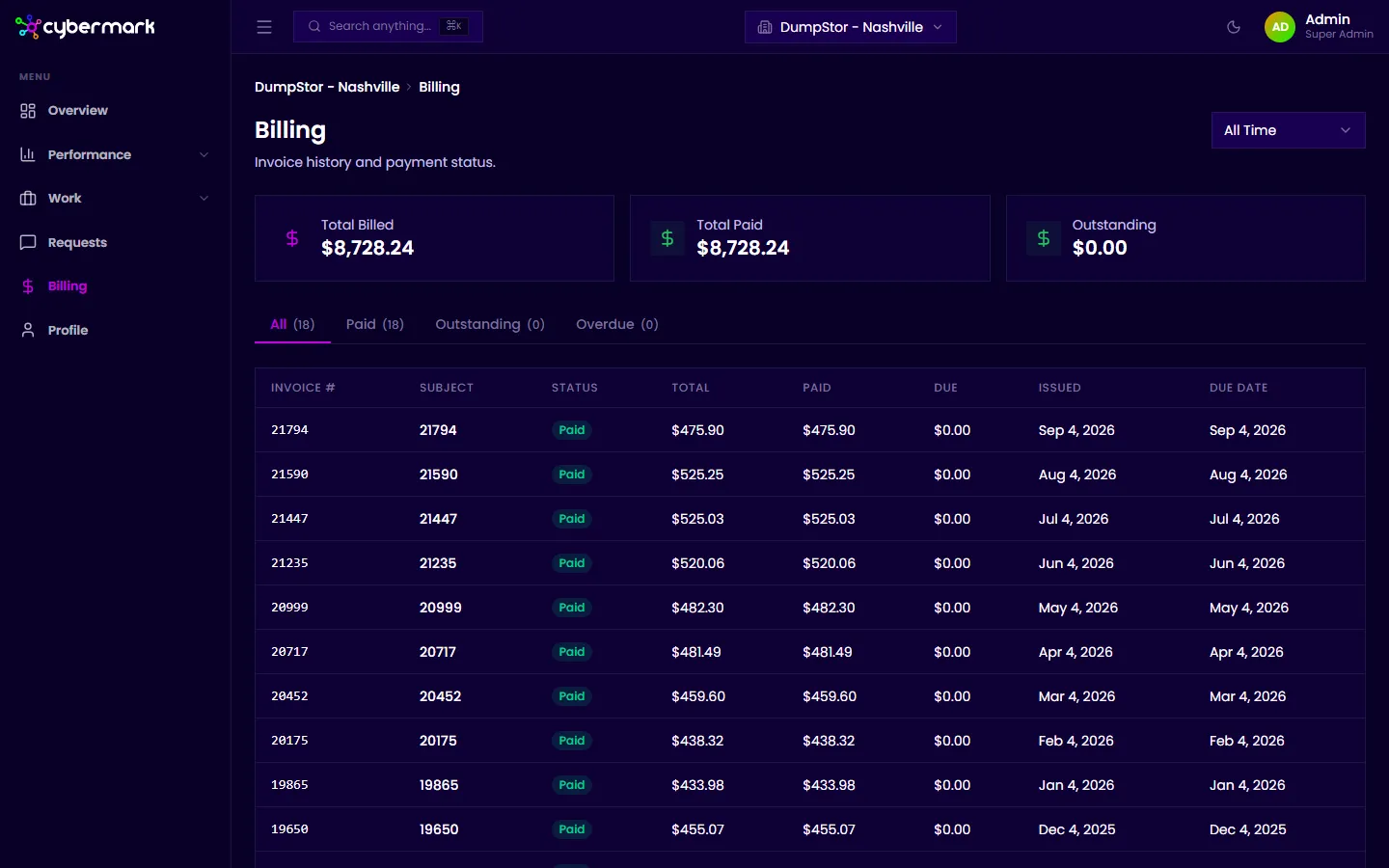
The Billing page shows every invoice your agency has sent you so you can check amounts, dates, and payment status without contacting your agency.
When you’d use this
Section titled “When you’d use this”Open the Billing page when you need to look up a past invoice, confirm a payment went through, or get a quick overview of your billing history.
Getting there
Section titled “Getting there”Click Billing in the sidebar, or go to app.cybermark.com/client/billing.
Summary cards
Section titled “Summary cards”At the top of the page, three cards show your totals at a glance:
- Total Billed — The sum of all invoices in the selected time range.
- Total Paid — Amount confirmed as paid.
- Outstanding — Amount remaining unpaid.
Use the time range selector (for example, All Time) to adjust the summary.
Invoice list
Section titled “Invoice list”Below the summary, a table lists all invoices sorted newest first. Each row shows:
- Invoice # — The invoice number from your agency’s billing system.
- Subject — A description of what the invoice covers.
- Status — Paid, Outstanding, or Overdue.
- Total — The invoice total.
- Paid — Amount confirmed paid.
- Due — Amount still owed.
- Issued — Date the invoice was created.
- Due Date — When payment is due.
Use the tabs (All, Paid, Outstanding, Overdue) to filter by status.
Opening an invoice
Section titled “Opening an invoice”Click any row to open the detail panel. See Invoice details for a breakdown of line items.