

Switching accounts
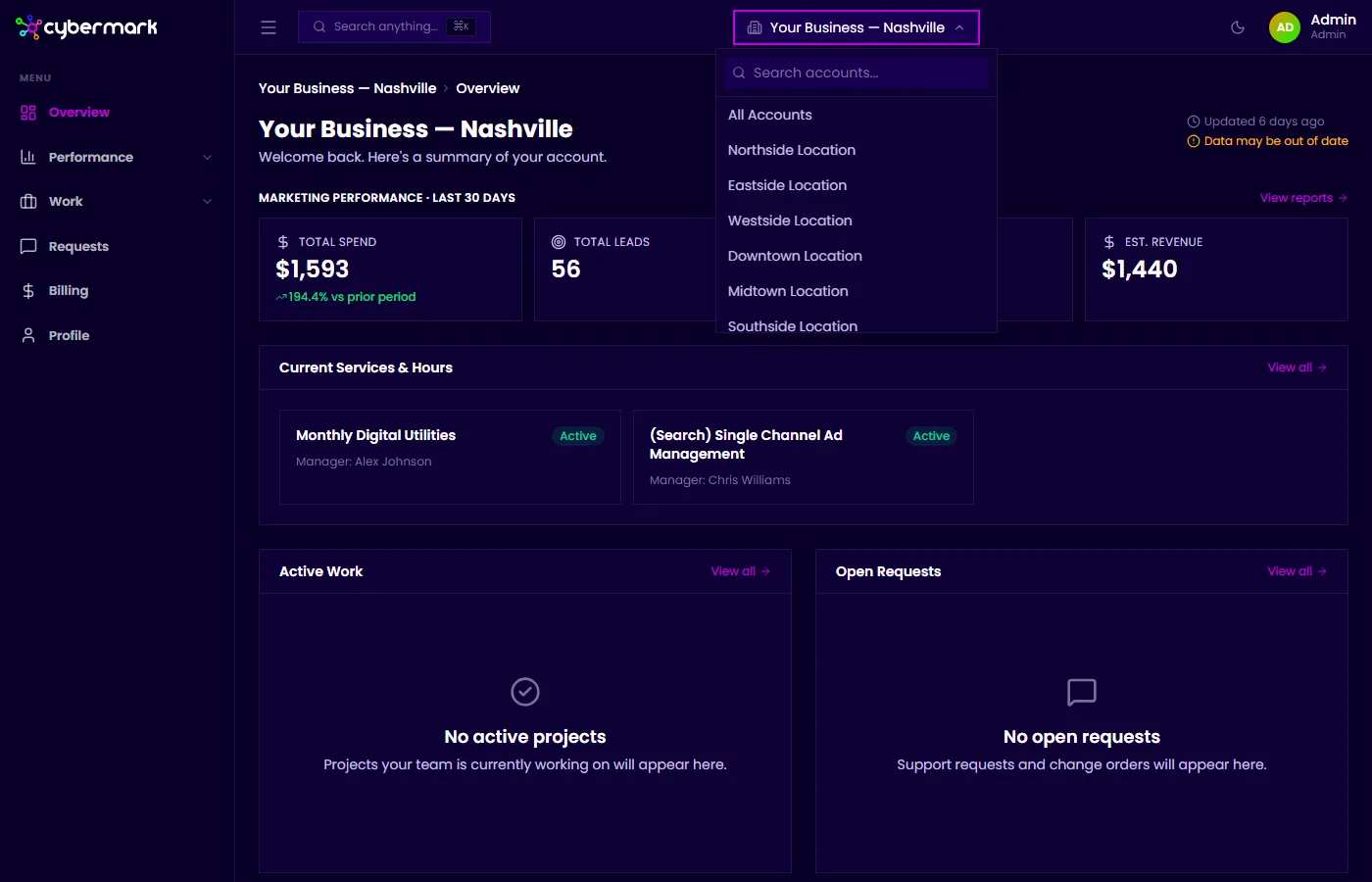
If you have access to more than one account or location, use the account selector to switch between them. CyberMark loads data for the selected account across all pages — Overview, Reports, Leads, Billing, and everything else.
When you’d use this
Section titled “When you’d use this”Use the account selector any time you want to view data for a different location or account.
How to switch accounts
Section titled “How to switch accounts”- Click the account name button at the top of any page (it shows your current account’s name).
- A dropdown appears listing every account you have access to.
- Click the account you want to view.
- The page refreshes and loads data for that account.
What you can access
Section titled “What you can access”What you see in the dropdown depends on your role:
- Brand Admin — All accounts in your organization or brand group.
- Owner — The specific locations you’ve been granted access to.
- Viewer — The accounts you’ve been given read-only access to.