Skip to content

Multi-account view

As a brand group member, you can see aggregated data across all accounts in your group or drill into any single account.

Use the multi-account view when you want to compare performance across your franchise, spot trends at the organization level, or quickly jump between accounts.

When you belong to a brand group, you have two ways to look at your data:

  • Rollup view — Shows aggregated KPIs and metrics across every account in the brand group. Use this for a high-level picture of how the entire organization is performing.
  • Individual account view — Shows data for a single account. Use this when you need to dig into a specific franchisee or location’s performance.

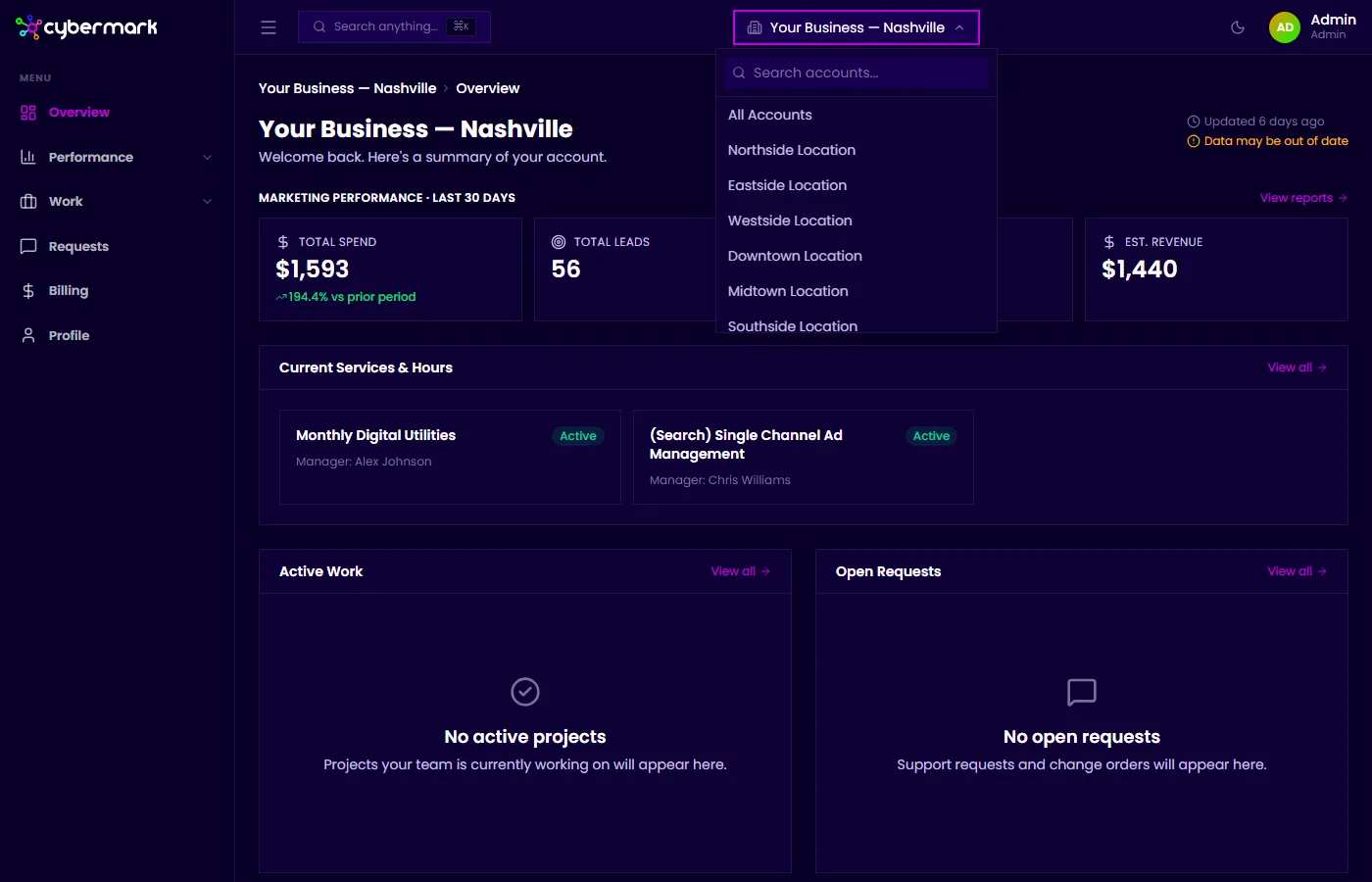
Use the account switcher to move between these views. Select the brand group name for the rollup, or select any member account to see its data.

Account switcher showing brand group and member accounts

The rollup view aggregates key metrics from all member accounts, including:

  • Spend, clicks, and impressions — Combined totals across all accounts.
  • Leads and conversions — Aggregated lead volume and conversion counts.
  • ROAS — Weighted return on ad spend across the group.

These KPIs follow the same layout as your standard dashboard, so the experience feels familiar.

The rollup view is especially useful for:

  • Identifying top and bottom performers — Compare account-level metrics to find which franchisees are ahead or behind.
  • Tracking organization-wide trends — See whether overall spend, lead volume, or conversion rates are moving in the right direction.
  • Reporting to stakeholders — Pull high-level numbers for the entire franchise without manually combining data from individual accounts.